· min read
How to Avoid the "Asset Flip" FPS Feel
Using marketplace assets doesn’t automatically make your game an “asset flip”. The label happens when a project feels like a pile of packs with no direction: mismatched feedback, inconsistent art/audio, and default gameplay tuning.
The real problem: consistency
Players don’t judge your store assets. They judge your cohesion. If recoil, camera motion, muzzle flash, UI, and sound all feel like they belong to the same game, the project feels intentional.
What to focus on first
- Tune the feel: recoil curves, recovery, sway, ADS speed, and camera motion. Default values are rarely “your game”.
- Unify feedback: consistent VFX brightness, hit reactions, and screen shake. Make it readable, not noisy.
- Pick a style: one lighting mood, one color palette, one sound direction. Consistency beats “more assets”.
- Own the loop: levels, pacing, objectives - this is what makes a game, not the packs.
A simple checklist
If you do only one pass before you show your game publicly, do this:
- Make one weapon feel great (recoil + feedback + audio).
- Make movement feel consistent (camera, speed, sprint transitions).
- Replace UI defaults (crosshair, damage indicators, menu typography).
- Lock one environment mood and adjust all assets to fit.
How our kits help you avoid that “asset flip” feel
One of the biggest reasons projects feel like asset flips is that the core gameplay isn’t consistent. Different guns feel like they come from different games. Movement and camera don’t match the weapon. Effects and reactions aren’t unified. That’s exactly what our kits are built to solve.
With a procedural, component-based approach you can keep all weapons and movement consistent, then make it yours by tweaking variables (recoil strength, recovery, sway, ADS speed, camera motion, etc.). Because the system applies common behavior across the whole foundation (gun logic, feedback, and FX), you get that “one game” feeling by default. If you also keep your map and enemy AI in the same design language, you end up with a game that feels intentional, not stitched together.
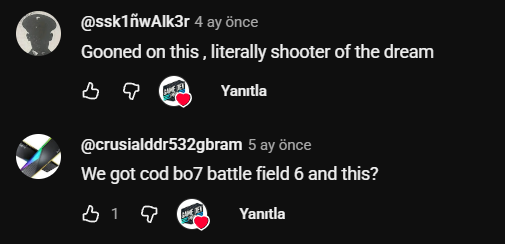
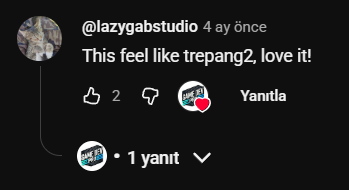
If you want a fast foundation so you can spend time on tuning instead of rebuilding systems, start with Procedural FPS Kit and use the Docs as your setup checklist. For proof from real users, check the comments on the Procedural FPS Kit showcase video: YouTube comments.
Real comments from the kit showcase
Tip: click an image to open full size.